The Developer Portal is a self-service layer over Blueprints. Instead of filing a ticket and waiting on a platform engineer, a developer opens a governed blueprint from the catalog, fills in the variables the blueprint author exposed, and provisions the resource themselves — within guardrails the platform team defined up front. Requests either deploy instantly or route to an approvals inbox, depending on how the blueprint is configured.
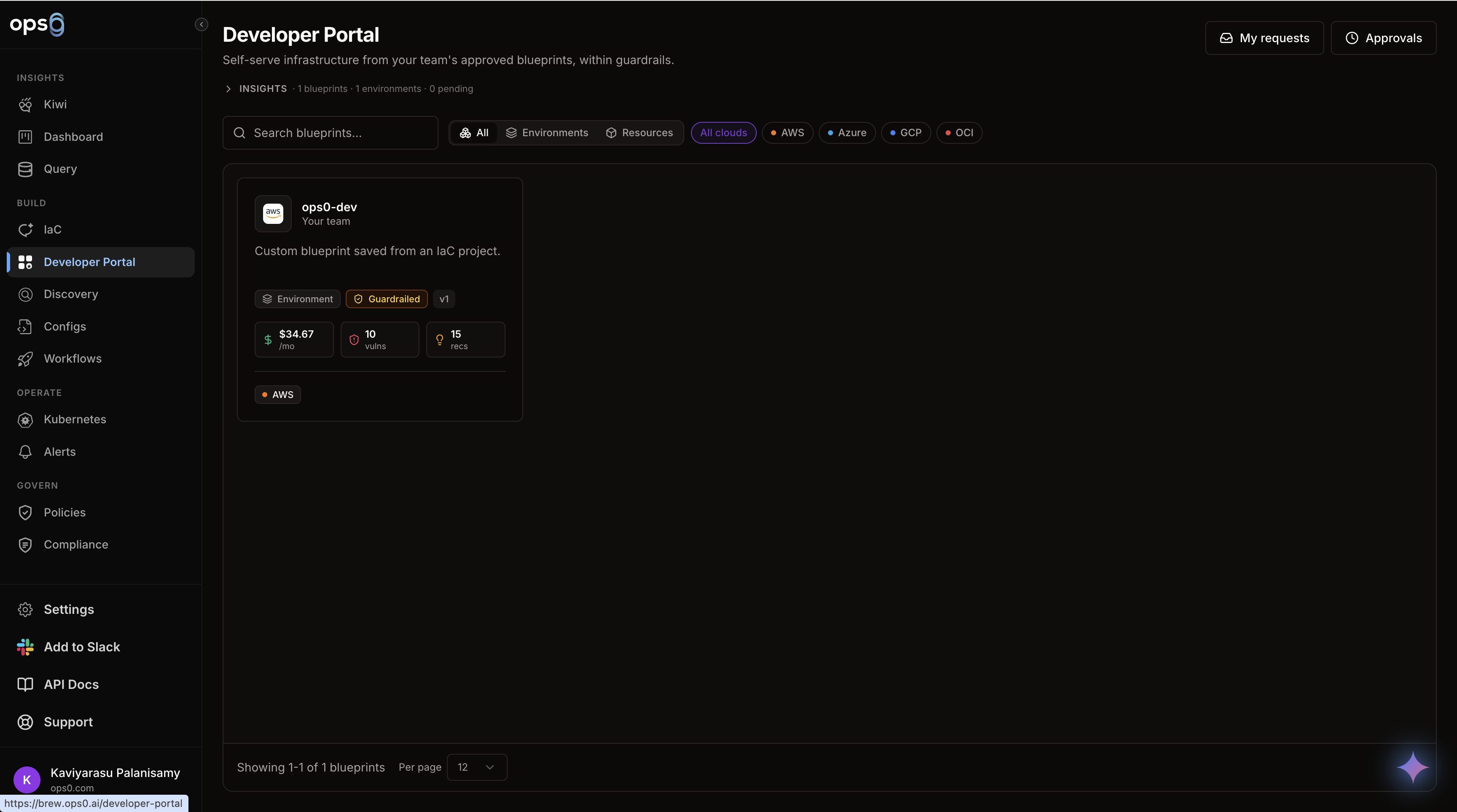
Platform teams publish infrastructure patterns as blueprints today, but every deployment still goes through someone who knows how to use the IaC editor. The Developer Portal removes that bottleneck for the common case: a developer who needs "a Postgres database" or "a staging environment" doesn't need to understand Terraform, cloud consoles, or IaC projects — they need a form with sensible defaults and known-safe choices.
Guardrails make this safe. A blueprint author decides which variables developers can touch, which values are pre-approved, and whether a request needs sign-off at all. A developer can never provision something outside those bounds without an approver seeing it first.
All four live on a single page at Developer Portal in the sidebar. The Blueprint Detail, My Requests, and Approvals views open as in-place side panels over the catalog rather than separate pages, and the current filters, open blueprint, and open request are reflected in the URL so a specific view is shareable.
The Approvals button and panel only appear for users who can review requests. Everyone else sees My Requests only — the server enforces this boundary independently of what the UI shows.
Every blueprint provisions one of two things, set by the blueprint author when they publish it:
| Type | Provisions | Example |
|---|---|---|
| Environment | A project's whole IaC — networking, compute, and data wired together | A staging environment, a new microservice's full stack |
| Resource | A single resource | A database, a storage bucket, a network |
The provision type drives catalog filtering (All / Environments / Resources) and which icon is shown for the blueprint.
A blueprint author sets one of three approval policies when publishing:
| Policy | Behavior |
|---|---|
| auto ("Ready to deploy") | Every request provisions instantly — no approver needed |
| conditional ("Guardrailed") | Requests using only preset values deploy instantly; any custom value routes to approval |
| required ("Always needs approval") | Every request is reviewed by an approver before it provisions, regardless of values |
Blueprint authors can attach a curated list of preset values to any variable. How a field behaves in the request form depends on whether custom values are allowed:
A request "uses custom values" the moment any field's value isn't one of its blessed presets (or, for a toggle that defaults off, the moment it's switched on). That's the signal a conditional blueprint uses to decide whether to auto-provision or route to approval — see Requesting Resources for how this looks from the requester's side.