Server and cluster configuration management with Ansible and Kubernetes.
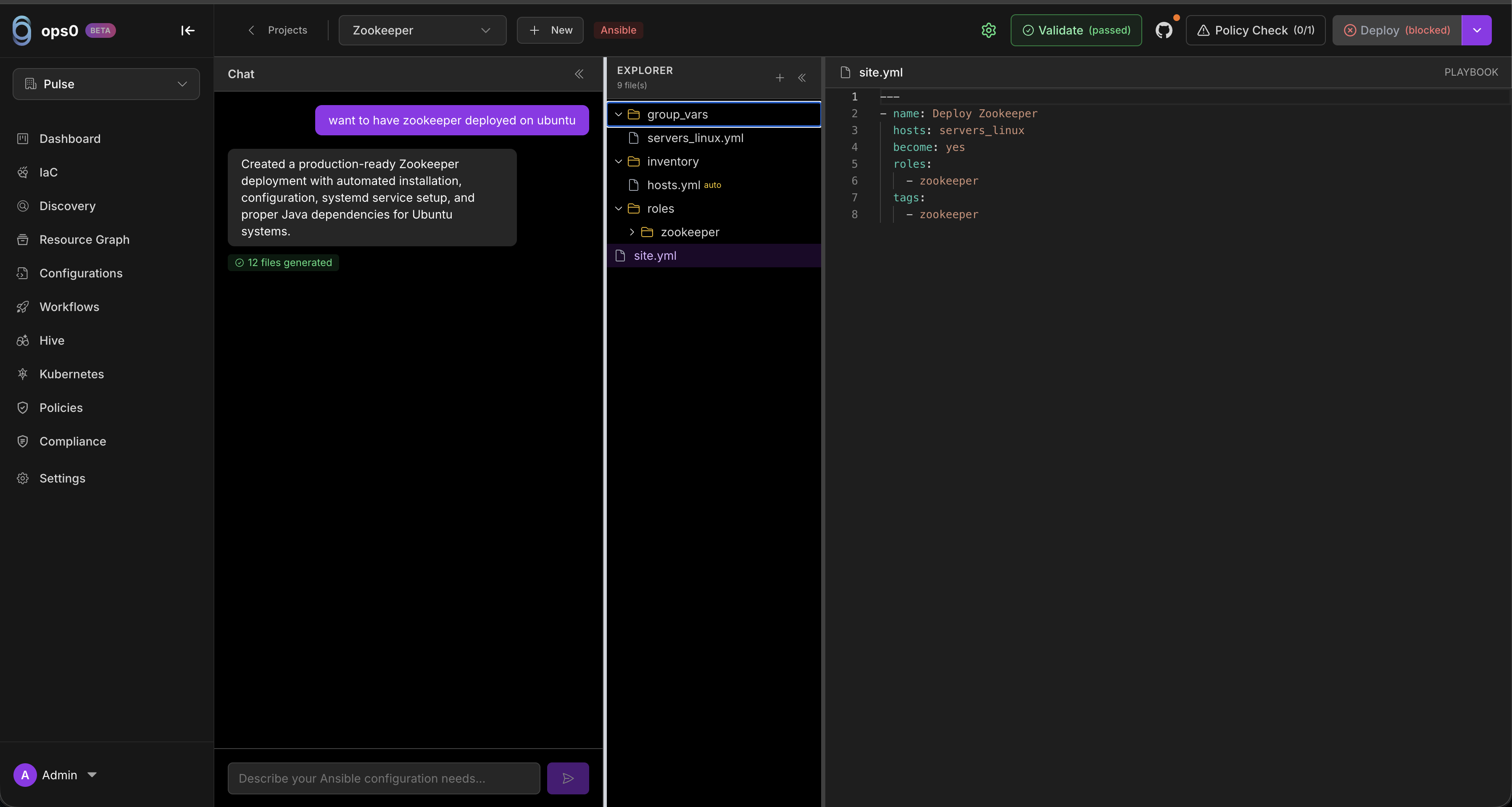
Configurations in ops0 let you manage server settings and Kubernetes deployments using Ansible playbooks and Kubernetes manifests. Unlike Infrastructure as Code (which provisions cloud resources), Configurations handle what runs on your infrastructure.
Automate server configuration with playbooks. SSH-based, agentless, idempotent.
Deploy containerized workloads with YAML manifests. Declarative, self-healing.
Choose Ansible or Kubernetes type.
Use AI-assisted editor to create playbooks or manifests.
Lint and syntax check your code.
Run with dry-run first, then apply to targets.
| Use Case | Tool | Example |
|---|---|---|
| Web server setup | Ansible | Install nginx, configure SSL, enable gzip |
| Database installation | Ansible | Install PostgreSQL, create databases, set up replication |
| User management | Ansible | Create users, manage SSH keys, configure sudo |
| Microservice deployment | Kubernetes | Deploy containers with replicas and autoscaling |
| Secret management | Kubernetes | Store credentials in Secrets, mount to pods |
| Load balancing | Kubernetes | Expose services via Ingress with SSL termination |
| Aspect | Ansible | Kubernetes |
|---|---|---|
| Target | Servers (VMs, bare metal) | Kubernetes clusters |
| Connection | SSH | Kubernetes API |
| Format | YAML playbooks | YAML manifests |
| Execution | Push-based, run on demand | Declarative, controller-based |
| Best for | Server configuration | Container orchestration |
When deployments run, tasks show colored status indicators:
| Status | Color | Meaning |
|---|---|---|
| OK | Green | No change needed |
| Changed | Yellow | Resource was modified |
| Failed | Red | Task encountered an error |
| Skipped | Cyan | Conditional skip |
| Unreachable | Dark Red | No connection to host |
Start a new Ansible or Kubernetes configuration project
Write playbooks and manifests with AI assistance
Run playbooks on servers or apply manifests to clusters
Monitor clusters, incidents, and resource graphs
Here's a typical workflow for configuring nginx on a group of web servers:
Name:        nginx-webserver-setup
Type:        Ansible
Target:      Server Group: production-web (4 servers)
Prompt: "Install nginx with SSL using Let's Encrypt, enable gzip, add security headers"
Produced site.yml:
---
- name: Configure secure nginx web server
  hosts: webservers
  become: yes
  vars_files:
    - vars/main.yml

  roles:
    - nginx
    - certbot
✓ ansible-lint passed
✓ Syntax check passed
✓ 0 errors, 0 warnings
PLAY RECAP ***********************************************
web-1.example.com  : ok=6  changed=3  unreachable=0  failed=0
web-2.example.com  : ok=6  changed=3  unreachable=0  failed=0
web-3.example.com  : ok=6  changed=3  unreachable=0  failed=0
web-4.example.com  : ok=6  changed=3  unreachable=0  failed=0
Deployment #47 - nginx-webserver-setup
Status:  ✓ Completed
Duration: 2m 34s
Changed: 12 tasks across 4 hosts

