Ask questions about your infrastructure in plain English. The Query Console connects to your Oxid PostgreSQL backend and lets you explore resources, dependencies, costs, vulnerabilities, and project relationships without writing any code.
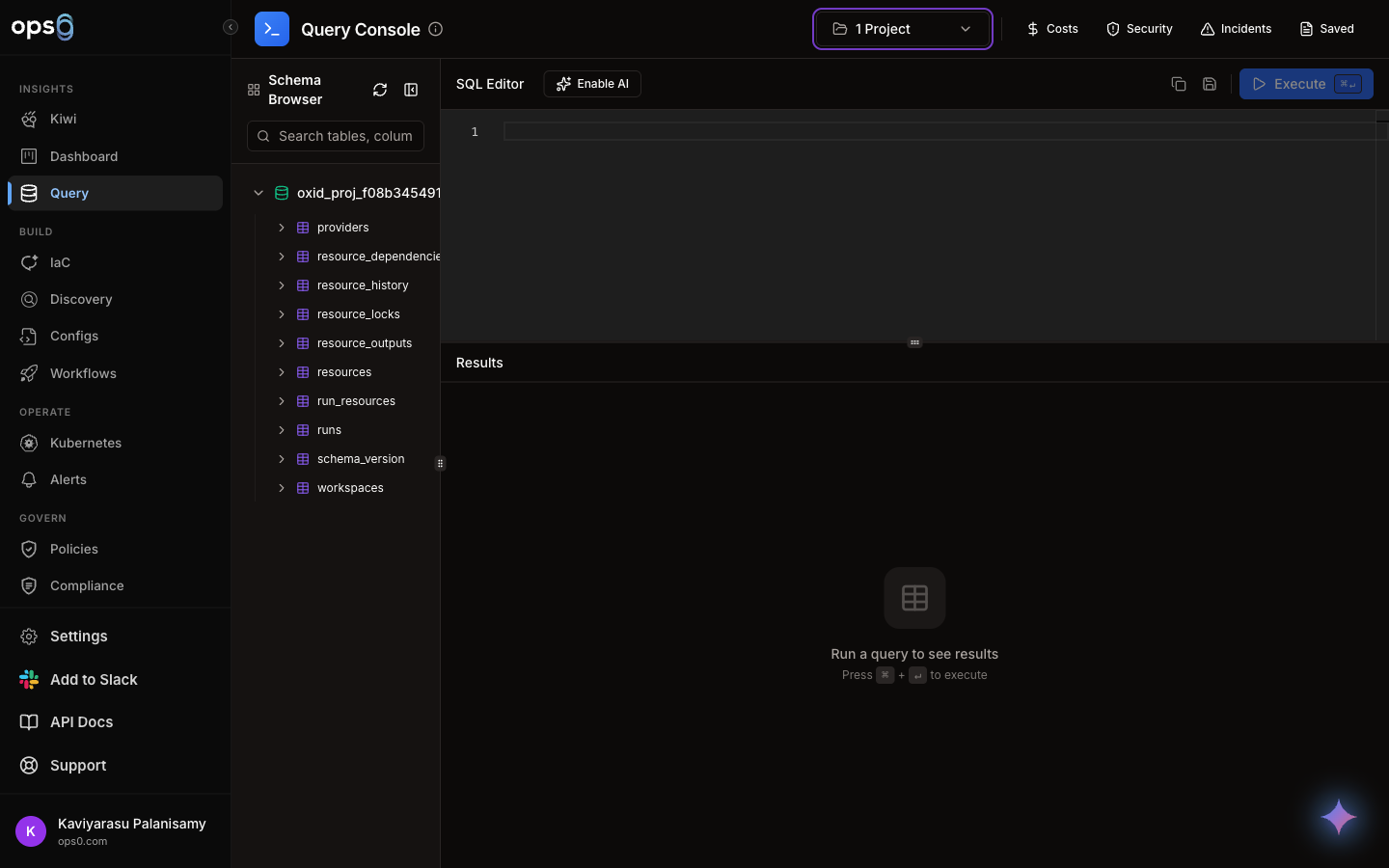
Type a question in plain English. The Query Console translates it into a database query, runs it against your Oxid state backend, and returns the results.
Example questions:
No SQL knowledge required. Just describe what you want to know.
Browse all managed resources, their attributes, current state, and metadata across every project.
See cross-resource and cross-project dependencies, module references, and terraform_remote_state links.
View cost estimates per resource, per project, or per cloud provider with cost overlays on results.
Surface Checkov findings and security issues alongside the resources they affect.
See which projects share state, reference outputs from other projects, or deploy to the same accounts.
Drill into any resource attribute like tags, regions, instance types, storage sizes, and configurations.
| Component | Description |
|---|---|
| Natural Language Input | Type a question in plain English to explore your infrastructure |
| Project Selector | Scope queries to one or more Oxid-enabled projects |
| Schema Browser | Browse available tables, columns, and data types |
| Cost Overlay | Toggle cost data alongside query results |
| Vulnerability Overlay | Toggle vulnerability findings alongside query results |
| Results Table | Sortable, filterable results with pagination |
| Feature | Description |
|---|---|
| Column Sorting | Click column headers to sort ascending or descending |
| Column Visibility | Toggle which columns are shown |
| Filtering | Apply additional filters to narrow result rows |
| Pagination | Navigate through large result sets |
| Row Selection | Select rows for bulk operations |
| Cost Column | See estimated monthly cost per resource when cost overlay is enabled |
| Vulnerability Column | See severity and check details when vulnerability overlay is enabled |
Save any query for quick access, share it with your team, or mark it as a favorite.
Type a question and get results.
Click the Save button in the toolbar.
Give it a descriptive name and optional description.
Select whether the query is private or shared with your organization.
| Field | Description |
|---|---|
| Name | Display name for the saved query |
| Description | Optional description of what the query does |
| Projects | Which projects the query targets |
| Favorite | Mark as favorite for quick access in the sidebar |
| Usage Count | How many times the query has been run |
| Last Used | When the query was last executed |
| Format | Use Case |
|---|---|
| CSV | Spreadsheet analysis, reporting, sharing with stakeholders |
| JSON | Integration with other tools, scripting, automation |
Click the Export button in the results toolbar to download the current result set.
| Section | Description |
|---|---|
| Recent Queries | Your most recently executed queries |
| Favorites | Queries you have marked as favorites |
| Shared Queries | Queries shared by your team |
| Projects | Browse queries grouped by project |
When enabled, the Cost Overlay adds an estimated monthly cost column to query results. Costs are pulled from the deployment metadata stored by Oxid — specifically the costEstimate values written to state after each apply. Costs are aggregated by resource address, module prefix, and array index so each row in results maps to its corresponding resource cost.
When enabled, the Vulnerability Overlay adds a severity column showing Checkov and Trivy findings for each resource. The overlay reads from the vulnerabilityScan metadata stored alongside each resource in the Oxid state. Findings are summarised as a severity distribution (critical / high / medium / low).
Both overlays persist when you save a query — the showPrices, showVulnerabilities, and showIncidents flags are stored per saved query.
The Blast Radius analysis shows the impact of changing or removing a specific resource — which other resources depend on it and could be affected.
Run a query and click on a resource row in the results.
Click the Blast Radius button in the resource detail panel.
ops0 runs oxid blast-radius against the selected resource and returns:
Use blast radius analysis before making changes to shared infrastructure (VPCs, shared databases, IAM roles) to understand the scope of impact.
| Limit | Value |
|---|---|
| Max rows returned | 1,000 rows per query |
| Query timeout | 30 seconds |
| Write operations | Blocked — SELECT only (DROP, DELETE, ALTER, INSERT, UPDATE all rejected) |
If your question returns more than 1,000 rows, the Query Console shows the first 1,000 and indicates that results were truncated. Refine your question to be more specific, or use the filter controls to narrow the result set.
The Query Console requires Oxid to be enabled on at least one project. Oxid stores your IaC state in a PostgreSQL database, which is what the Query Console reads from.
Only projects using Oxid as their state backend appear in the Query Console. See Oxid to enable Oxid on a project.

