Visualize your infrastructure as an interactive graph showing resources, dependencies, drift, and real-time status.
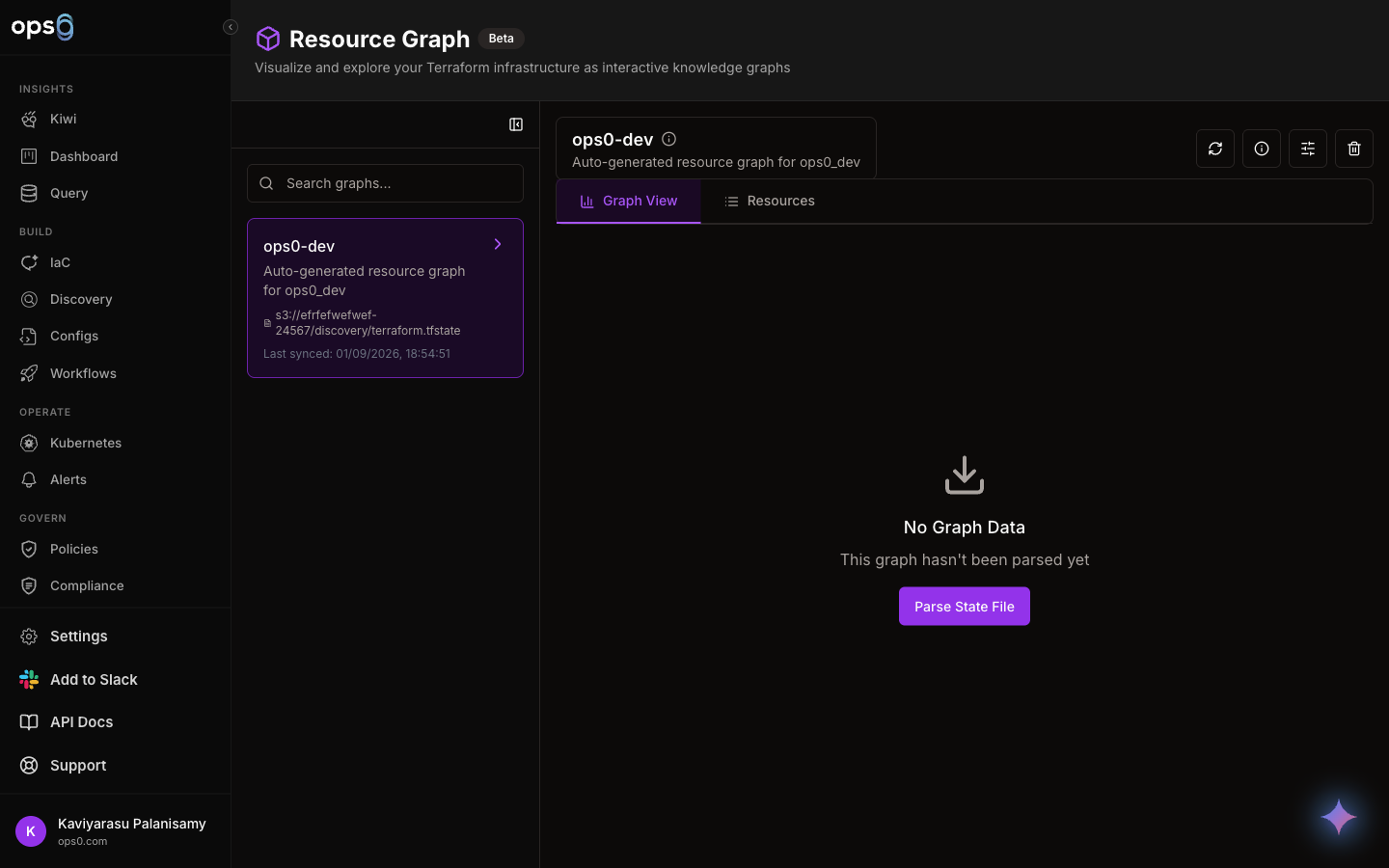
Resource Graph transforms your Terraform state files and Kubernetes clusters into interactive visual maps. See how resources connect, identify dependencies, detect drift from live infrastructure, overlay incidents, and get AI-powered insights-all in one powerful view.
Visualize Terraform state files and detect infrastructure drift.
Load Terraform state from multiple sources:
Resources are automatically categorized and color-coded:
The graph shows how resources connect:
| Edge Type | Meaning |
|---|---|
| depends_on | Explicit Terraform dependency |
| references | Resource references another's attributes |
| manages | Parent-child relationship (e.g., VPC → Subnet) |
Compare Terraform state to live AWS infrastructure and identify manual changes ("ClickOps").
After detection, you'll see:
| Metric | Description |
|---|---|
| Total Resources | Number of resources in state |
| Live Resources | Resources found in AWS |
| Drifted | Resources with differences |
| Critical Drifts | Deleted or severely changed |
| Drift % | Percentage of resources with drift |
Compare state from one AWS account against live resources in another:
State Source:     AWS Account A (S3 backend)
Live Resources:   AWS Account B (production)

Use Case: Detect when production drifts from IaC-managed state
When drift is detected:
Visualize cluster resources with incident overlay and real-time status.
The graph visualizes key relationships:
| Relationship | Example |
|---|---|
| Ownership | Deployment → ReplicaSet → Pod |
| Scheduling | Node → Pod (which pods run where) |
| Routing | Service → Pod (via label selectors) |
| Ingress | Ingress → Service → Pod |
| Configuration | Pod → ConfigMap, Pod → Secret |
| Containment | Namespace → all resources within |
See active incidents directly on the resource graph.
Resources with active incidents show:
Click an incident indicator to see:
Get intelligent insights about any resource.
Click the AI button (sparkles icon) on any resource node to:
For AWS resources, AI can:
After AI analysis, click Take Action to:
| Control | Action |
|---|---|
| Scroll wheel | Zoom in/out (0.1x - 2x) |
| Click + Drag | Pan the view |
| Click node | Select and view details |
| Double-click | Center on node |
| Escape | Deselect all |
| Button | Function |
|---|---|
| Zoom In/Out | Adjust zoom level |
| Fit View | Fit all nodes in viewport |
| Mini-map | Toggle mini-map overlay |
| Refresh | Reload resource data |
| Detect Drift | Run drift detection (IaC) |
Click any node to open the details panel.
| Section | Content |
|---|---|
| Overview | Name, type, ID, namespace/region |
| Status | Running, pending, failed with colored badge |
| Replicas | Ready/desired count (Kubernetes) |
| Labels | Kubernetes labels as badges |
| Attributes | Full resource data (JSON or table view) |
| Dependencies | Resources this depends on |
| Dependents | Resources that depend on this |
| Drift | State vs. live differences (IaC) |
| Incidents | Active incidents (Kubernetes) |
Visualizing a VPC setup with EC2 instances:
┌─────────────────────────────────────────────────────────────────┐
│  Resource Graph                                                  │
│  production-vpc • 24 resources • Last synced: 2 min ago         │
├─────────────────────────────────────────────────────────────────┤
│                                                                  │
│                    ┌──────────────┐                              │
│                    │   aws_vpc    │                              │
│                    │ production   │                              │
│                    │  ● Running   │                              │
│                    └──────┬───────┘                              │
│               ┌───────────┼───────────┐                          │
│               ▼           ▼           ▼                          │
│      ┌────────────┐ ┌────────────┐ ┌────────────┐               │
│      │  subnet    │ │  subnet    │ │   igw      │               │
│      │ public-1a  │ │ public-1b  │ │   main     │               │
│      │ ● Running  │ │ ● Running  │ │ ● Running  │               │
│      └─────┬──────┘ └─────┬──────┘ └────────────┘               │
│            │              │                                      │
│            └───────┬──────┘                                      │
│                    ▼                                             │
│            ┌────────────┐                                        │
│            │  aws_sg    │                                        │
│            │   web-sg   │                                        │
│            │ ● Running  │                                        │
│            └─────┬──────┘                                        │
│         ┌────────┼────────┐                                      │
│         ▼        ▼        ▼                                      │
│   ┌──────────┐┌──────────┐┌──────────┐                          │
│   │ instance ││ instance ││ instance │                          │
│   │  web-1   ││  web-2   ││  web-3   │                          │
│   │● Running ││● Running ││⚠ Drifted │                          │
│   └──────────┘└──────────┘└──────────┘                          │
│                                                                  │
│  Legend: ● Running  ⚠ Drifted  ✕ Failed                         │
└─────────────────────────────────────────────────────────────────┘
When drift is detected on a resource:
Visualizing a Deployment with incidents:
┌─────────────────────────────────────────────────────────────────┐
│  Resource Graph - Namespace: api-gateway                        │
│  Incidents: 1 active                                            │
├─────────────────────────────────────────────────────────────────┤
│                                                                  │
│        ┌──────────────┐                                         │
│        │   Ingress    │                                         │
│        │ api-gateway  │                                         │
│        │  ● Active    │                                         │
│        └──────┬───────┘                                         │
│               ▼                                                  │
│        ┌──────────────┐                                         │
│        │   Service    │                                         │
│        │ api-gateway  │                                         │
│        │  ● Active    │──────┐                                  │
│        └──────┬───────┘      │                                  │
│               ▼              ▼                                   │
│        ┌──────────────┐  ┌──────────────┐                       │
│        │  Deployment  │  │     HPA      │                       │
│        │ api-gateway  │  │ api-gateway  │                       │
│        │  ⚠ 2/3 Ready │  │ 3→10 replicas│                       │
│        └──────┬───────┘  └──────────────┘                       │
│               │                                                  │
│     ┌─────────┼─────────┐                                       │
│     ▼         ▼         ▼                                        │
│  ┌──────┐ ┌──────┐ ┌──────┐                                     │
│  │ Pod  │ │ Pod  │ │ Pod  │                                     │
│  │-2xkjp│ │-9vwrt│ │-kp3mn│                                     │
│  │● Run │ │● Run │ │🔴 P1 │ ← CrashLoopBackOff                  │
│  └──────┘ └──────┘ └──────┘                                     │
│                                                                  │
│  Legend: ● Running  ⚠ Warning  🔴 Incident                      │
└─────────────────────────────────────────────────────────────────┘
Clicking the incident indicator on Pod -kp3mn shows:

