ops0's Configurations feature turns plain-English requests into production-ready Ansible playbooks, roles, and inventory — generated by Claude and scoped to the specific servers or server group you're targeting.
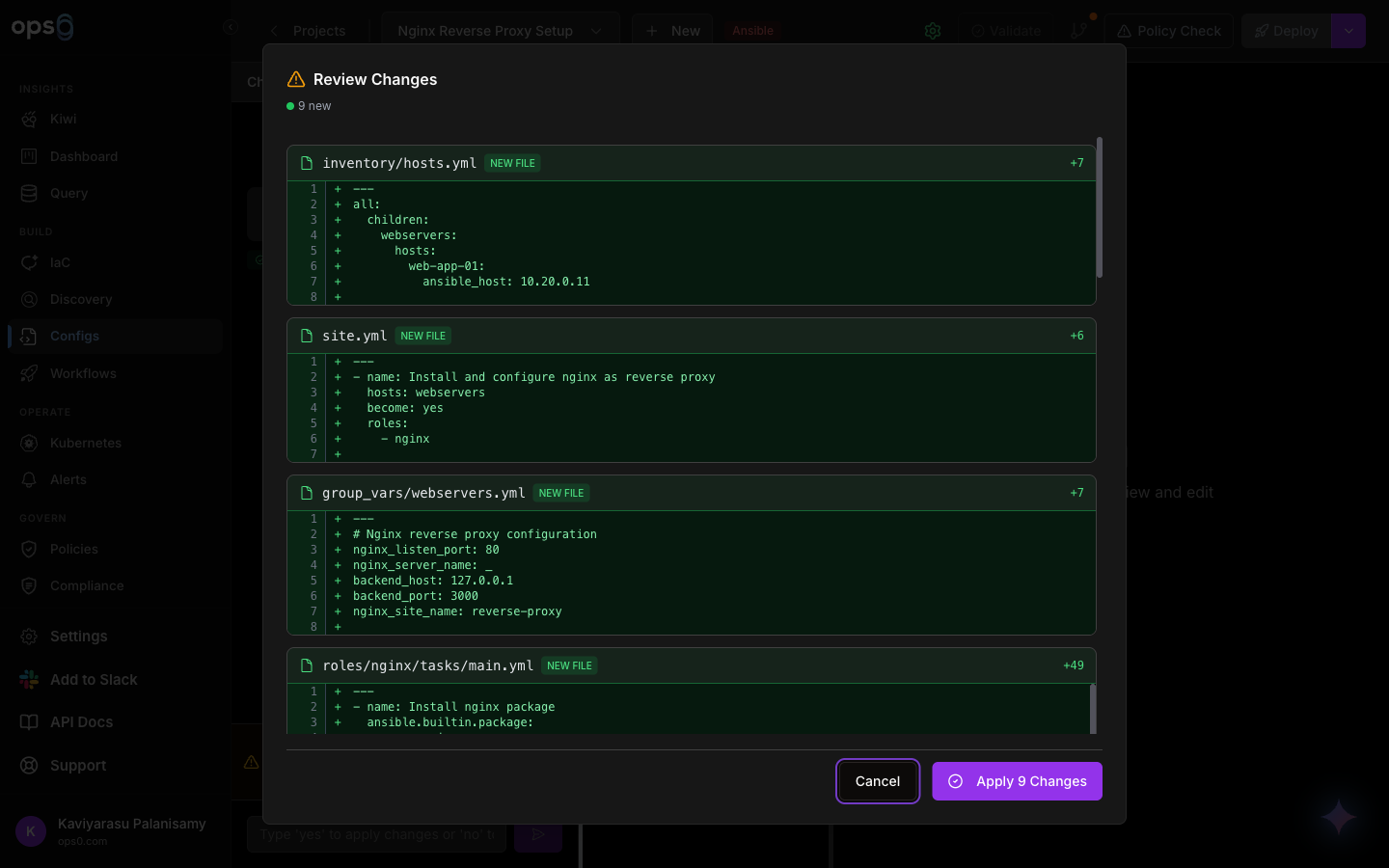
Navigate to Configurations and click to create a new project.
Select Ansible as the project type (the alternative is Kubernetes, for Helm/manifest projects).
Pick a target mode: Server Group (target every server in a group) or Individual Servers (hand-pick specific servers from your Servers fleet).
Give the project a name and description, then create it. This opens the project's conversational editor.
Inside a project, you describe what you want in natural language and the AI responds with an explanation and the generated files.
Type a request describing the configuration you want, for example: "Install and configure nginx as a reverse proxy for port 3000" or "Harden SSH: disable password auth and root login."
ops0 first classifies your message as either a question (asking about existing configuration) or a change (asking to create or modify files). Questions get a direct explanation with no files touched; changes proceed to generation.
For a change request, the AI streams back the playbook and any supporting files — roles, inventory, group/host variables, Jinja2 templates, and handlers — as they're produced.
The AI returns a short explanation of what will change. Changes require confirmation before they're applied to the project.
For small changes to a large existing file, the generator can return a targeted patch instead of rewriting the whole file, so a one-line change to an existing playbook doesn't regenerate everything around it.
| Input | How it's used |
|---|---|
| Your natural-language request | The primary instruction for what to build or change |
| Existing project files | Included as context so edits are consistent with what's already there |
| Target servers or server group | Server names, IP addresses, and detected operating systems are passed in so generated tasks match your real infrastructure |
| Enabled policies | Any policies enabled on the project are enforced as mandatory constraints — the AI is instructed to generate compliant code or warn you if your request would violate one |
The generator is instructed to consistently follow:
site.yml entry point with roles organized under roles/ansible-vault where secrets are neededgroup_vars/host_vars, Jinja2 templates, and handlers are all generated as distinct, correctly-typed files| Type | Example location |
|---|---|
| Playbook | site.yml and other root-level *.yml playbooks |
| Role | roles/<name>/tasks/*.yml |
| Inventory | inventory/*.yml |
| Vars | group_vars/*.yml, host_vars/*.yml |
| Template | roles/<name>/templates/*.j2 |
| Handler | roles/<name>/handlers/*.yml |
You can also use the same chat to ask about your configuration without changing anything — for example, "Is my playbook idempotent?" or "What does this role do?" The AI answers directly with no files modified, which makes it safe to sanity-check a playbook before deploying it.