Connect cloud providers, version control, observability, and alerting systems to ops0. Integrations let brew.ops0.ai discover resources, run deployments, sync code, and send operational signals into the tools your teams already use.
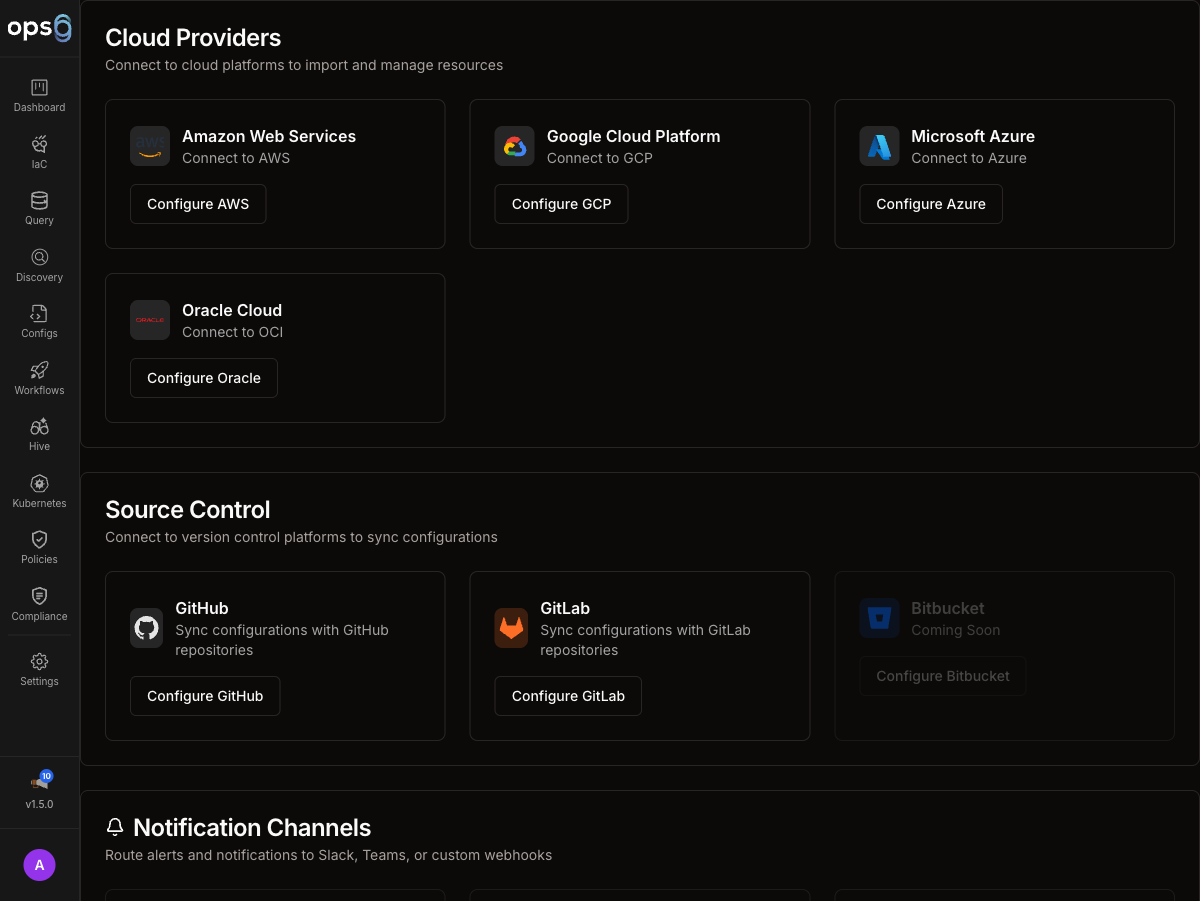
Navigate to Settings from the main sidebar.
Select Integrations to view connected providers, statuses, and available setup flows.
AWS, GCP, Azure, and Oracle Cloud for deployments and discovery.
GitHub and GitLab for repository sync, pull requests, and version-control workflows.
Route logs, plans, and policy output into your observability stack.
Send delivery, approval, and incident alerts into collaboration channels.
Every integration card shows a real-time status badge:
| Status | Meaning |
|---|---|
| Connected | Active and working |
| Syncing | A sync operation is currently running |
| Pending | Created but not yet verified |
| Partial | Some operations work, others fail (e.g. discovery succeeds but deployment fails due to missing permissions) |
| Error | Last operation failed — hover the badge to see the error message |
Click any Error badge for the full error detail and suggested resolution steps.
Most integrations expose a common management surface in ops0:
| Field | Description |
|---|---|
| Name | Human-readable label for the integration |
| Type | Provider or category, such as AWS, GitHub, or Slack |
| Status | Connection health (see status badges above) |
| Created | When the integration was added |
| Last Used | The most recent time ops0 used the integration |
Cloud integrations provide provider-specific credentials and trust relationships so ops0 can discover resources, run deployments, and scope access correctly.


Each cloud provider has its own setup page because authentication models, required fields, and permission boundaries differ significantly.
Git integrations connect ops0 projects to source-control providers for syncing IaC code, opening pull or merge requests, and managing repository access.
Observability integrations send execution output and policy context into logging and monitoring systems.
Overview, supported provider details, data types, and troubleshooting.
Legacy alias path retained for compatibility.
Alerts integrations deliver deployment notifications, approval requests, policy findings, and incident signals into collaboration tools.
Configure channels, alert types, and workspace authorization.
Current supported alerts provider.
After an integration is added, the operational lifecycle is broadly the same regardless of provider:
Run a connectivity check to verify that credentials, scope, and network access are valid.
Update names, endpoints, regions, channels, or provider-specific settings as requirements change.
Replace keys, secrets, tokens, or app access when your rotation policy requires it.
Confirm which projects, workflows, or scans rely on the integration before changing or deleting it.
Remove the integration only after checking for affected projects, workflows, or automation.
Use explicit names so teams can distinguish integrations quickly:
| Good Example | Why It Works |
|---|---|
aws-production-us-east-1 | Captures provider, environment, and region |
gcp-analytics-prod | Makes project purpose obvious |
github-platform-org | Identifies account or org scope |
slack-deploy-alerts | Indicates the alerting use case |

